Hidden cameras in short term rentals and hotels have become a growing concern as devices continue to shrink in size, cost less, and blend seamlessly into everyday objects. Reports of covert monitoring and illicit livestreaming highlight the need for travelers to protect their privacy. Fortunately, a thorough scan of any room can be completed in minutes using only a smartphone and a few structured steps. This guide outlines a practical approach that helps identify suspicious devices quickly without specialized equipment.
Understanding Why a Quick and Structured Scan Works
Many travelers want safety without spending an hour inspecting every corner. A focused approach works because surveillance devices are placed with clear intentions. Someone installing a hidden camera wants a view of areas where people change clothes, shower, or sleep. They typically ignore parts of the rental that offer no valuable visibility. By understanding these motivations, you can narrow your inspection to the locations that matter.
Room layout influences the complexity of the scan. Compact studio spaces or container homes might have fewer hiding spots, but almost every angle may face the bed or bathroom. Large rentals filled with decorations, stuffed shelves, and personal items create the opposite problem because clutter introduces more possible hiding locations. No matter the setting, identifying the most exposed angles allows you to structure the investigation around relevant areas instead of overwhelming yourself.
Identifying High Risk Viewing Zones
The first step is scanning for the angles where recording would provide the clearest view of sensitive spaces. Bedrooms, bathrooms, and shower areas are the primary targets. Entryways, corners with no visibility, or sections of the room that face blank walls usually pose little risk.
A helpful technique is imagining where you would place a camera if your goal were to capture private activity. Once these angles become clear, examine what items exist along them. Items that face the bed, fixtures mounted above showers, and electronics that sit at eye level often deserve the most attention.
Consider the following possibilities:
- A television that directly faces a bed
- Ceiling attachments positioned over areas where someone might undress
- Wall mounted accessories that appear angled rather than neutrally positioned
If anything seems intentionally placed toward a private zone, it becomes a top priority for inspection.
Spotting Objects That Look Odd or Out of Place
Hidden cameras often mimic ordinary household items. Because of their everyday appearance, they rely on placement to escape suspicion. When an object looks normal but sits in a strange orientation, that alone can be a warning sign.
Common examples include:
- A smoke detector centered directly over a bed
- An old style alarm clock pointing toward the mattress
- A USB power block placed inside a bathroom where it serves no purpose
- A wall mounted device or fixture connected to wires for unclear reasons
Once an object seems suspicious, conduct a quick physical inspection. Feel for bumps or unusual openings. Hidden camera lenses may be only a few millimeters wide, so even tiny holes are meaningful. This step quickly eliminates harmless items or signals the need for deeper checking.
Some fixtures may detach slightly from the wall or reveal internal wiring when gently lifted. Although wiring alone does not confirm surveillance, it indicates the device is more than simple decor and deserves further attention.
Paying Attention to Power Sources
While battery powered spy cameras do exist, long term monitoring usually depends on access to continuous power. For this reason, devices plugged into outlets should always receive extra scrutiny.
Several characteristics commonly indicate a disguised surveillance device:
- An outlet cover that appears bulkier or newer than others
- A multi socket adapter where one socket is blocked or non functional
- A powered object facing the bed, despite having no obvious reason to be placed there
Many covert electrical outlet cameras share a similar pattern. One outlet works normally while the second contains a hidden lens disguised as a plug slot. If a socket refuses to accept a plug, that is often a red flag. A visual and tactile inspection combined with the light test can help determine whether the device contains embedded electronics.
Even appliances like microwaves or mini refrigerators may face directly toward the bed in small rentals. While these usually are harmless, any powered device positioned toward sensitive areas deserves at least a quick look.
Recognizing the Most Common Hidden Camera Disguises
Spy cameras sold on online marketplaces often follow predictable design categories. Becoming familiar with these categories speeds up inspections because you can recognize suspicious objects at a glance.
Frequent disguises include:
- Smoke detectors
- USB chargers and adapter bricks
- Digital alarm clocks
- Outlet extenders
- Air fresheners or motion sensors with unusual openings
- Decorative objects with extra holes or lens sized cutouts
By training yourself to identify these items quickly, you reduce unnecessary checking and focus on high probability targets.
Using a Smartphone to Detect Connected Cameras
Visual inspection alone may not reveal cameras connected through Wi-Fi. Many covert devices transmit video over wireless networks, making network scanning an important second layer of detection. A smartphone can identify unknown devices connected to the same Wi-Fi network.
Two common methods are available:
Airport Utility (iPhone)
After enabling Wi-Fi scanning in settings, the app can show all detected devices on the network. Standing close to a suspicious object and refreshing the scan may reveal its presence.
Fing (Android or iOS)
This app provides a clear list of active devices. Any unfamiliar manufacturer or device type can be researched online.
A useful technique is unplugging a suspicious device and scanning again. If a device disappears from the list after unplugging, it requires further attention. This method does not reveal cameras that record only to internal memory, but it is effective for detecting wireless monitoring tools.
The Importance of Wi-Fi Safety When Traveling
Even if a room contains no hidden cameras, unsecured Wi-Fi remains a major privacy risk. Rental properties often share the same password with dozens of past guests. Hotels are common targets for fake Wi-Fi networks designed to steal credentials.
Connecting without a virtual private network greatly increases the risk of exposing sensitive data such as email logins, financial credentials, or personal messages. Many travelers focus only on physical security but overlook digital vulnerabilities. Using a secure connection is a simple yet essential step for protecting privacy in any unfamiliar location.
Conducting a Careful Bathroom Inspection
Bathrooms require more detailed attention because they offer the highest chance of private exposure. Even minimalistic bathrooms may contain multiple mount points, small accessories, or fixtures where a camera could be placed.
Key areas to examine include:
- Shower heads, especially electric ones
- Ceiling fixtures such as lights or sensors
- Toiletries placed by the host
- Wall mounted items facing the toilet or shower
- Towel hooks or switches positioned at suspicious angles
People naturally scan at eye level, so ceiling mounted devices are often overlooked. The ceiling is also a strategic location for capturing wide angle views, making it one of the most important places to inspect.
A simple touch test helps determine whether anything contains odd bumps or perforations. Most normal fixtures feel smooth and consistent, while covert devices may include cutouts for lenses.
Performing the Light Test to Spot Lenses
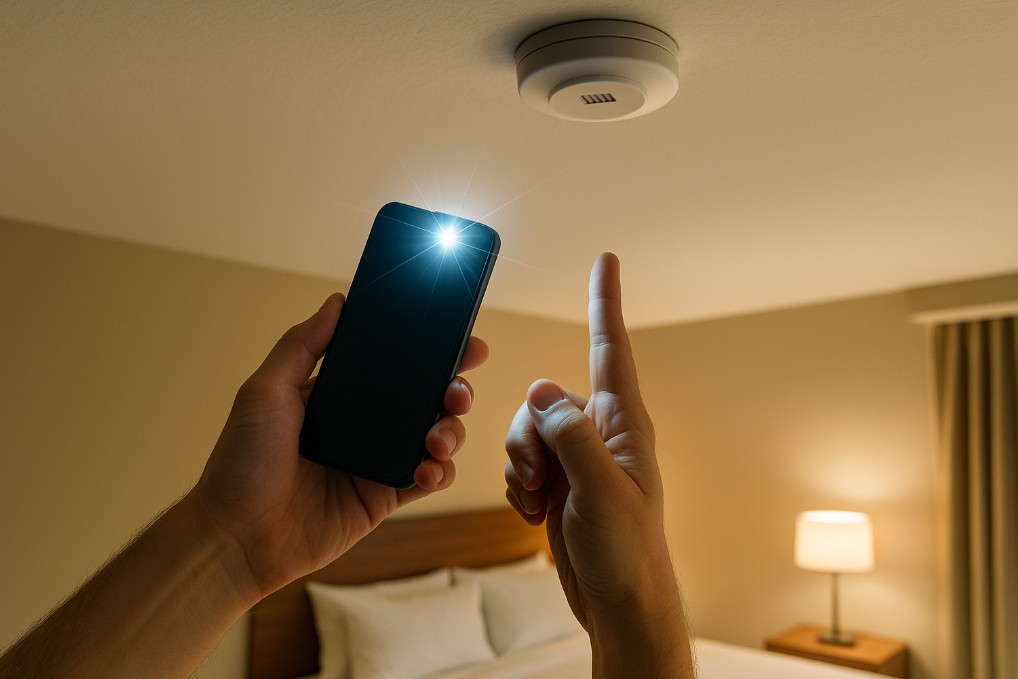
A phone flashlight can help reveal lens reflections. In a dim environment, shine a bright light directly onto the suspicious object. Small hidden lenses often reflect light in a distinctive way that is easier to spot when illuminated from close range.
This method works even in rooms that do not get fully dark. If a phone flashlight feels insufficient, a compact travel flashlight or headlamp offers stronger illumination. Dedicated hidden camera detectors with LED viewfinders are also available, though not necessary for most travelers.
The light test is most effective when combined with earlier steps. If an item already seems odd or is placed suspiciously, the test helps confirm whether it contains a lens.
What to Do if You Find a Hidden Camera
If you discover or strongly suspect a hidden camera, contact local law enforcement immediately. Avoid notifying the host or property owner because doing so may compromise evidence or lead to device removal before authorities can inspect it.
Document the object with photos or video without tampering with it. This helps investigators verify the situation and protects you during any follow up process. Hidden cameras in private spaces are serious violations, and proper handling ensures they are addressed legally and effectively.
Simple Measures That Provide Peace of Mind
A structured scan takes only a few minutes and dramatically reduces the chance of unnoticed surveillance. Combined elements of observation, touch, network scanning, and light testing allow thorough coverage without paranoia.
A practical routine includes:
- Identifying high risk sight lines
- Inspecting suspicious objects manually
- Checking powered devices
- Using Wi-Fi scanning tools
- Applying light reflection checks
- Unplugging or covering anything questionable
Most hidden cameras on the market fall within these detection methods, making them effective for everyday travel. Optional tools, such as small flashlights or camera detectors, can provide additional reassurance without adding complexity.
Final Thoughts: Awareness is the Most Effective Defense
Hidden cameras are not encountered daily, but their potential impact is significant. A fast, structured inspection offers peace of mind and helps ensure privacy in any unfamiliar environment. Protecting yourself does not require technical expertise. It simply requires awareness, thoughtful observation, and a few practical steps that fit easily into the start of any trip.